All work

RiveDrive

An app and a website for every drive: finding the fun roads, riding with your crew and handling the daily commute. I lead the design of both, from the first research interview to shipped features.

Role
Product Designer, part time
Period
Apr 2025 — now
Location
Remote
Platform
iOS app, CarPlay & web
Website
rivedrive.com ↗
rivedrive.com landing page
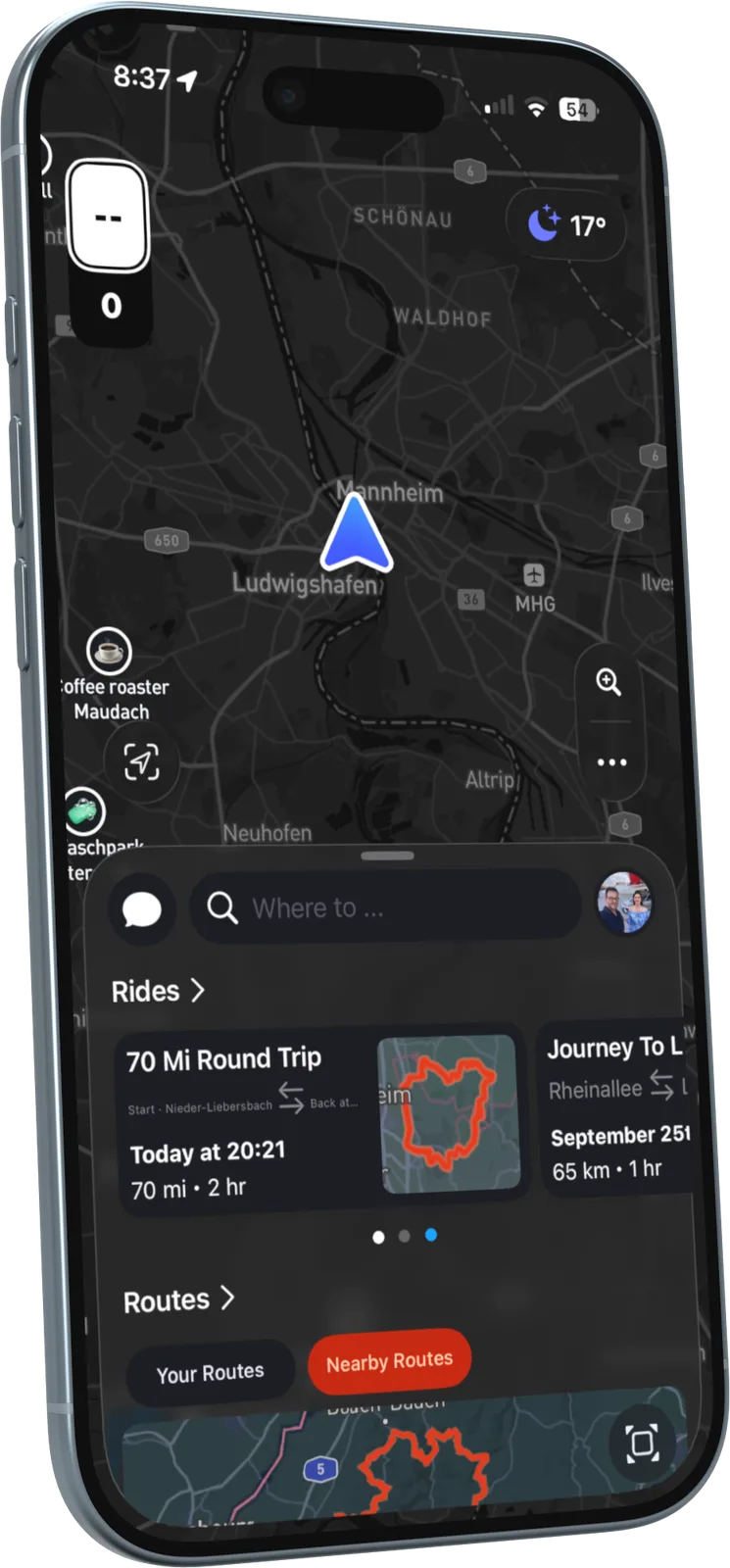
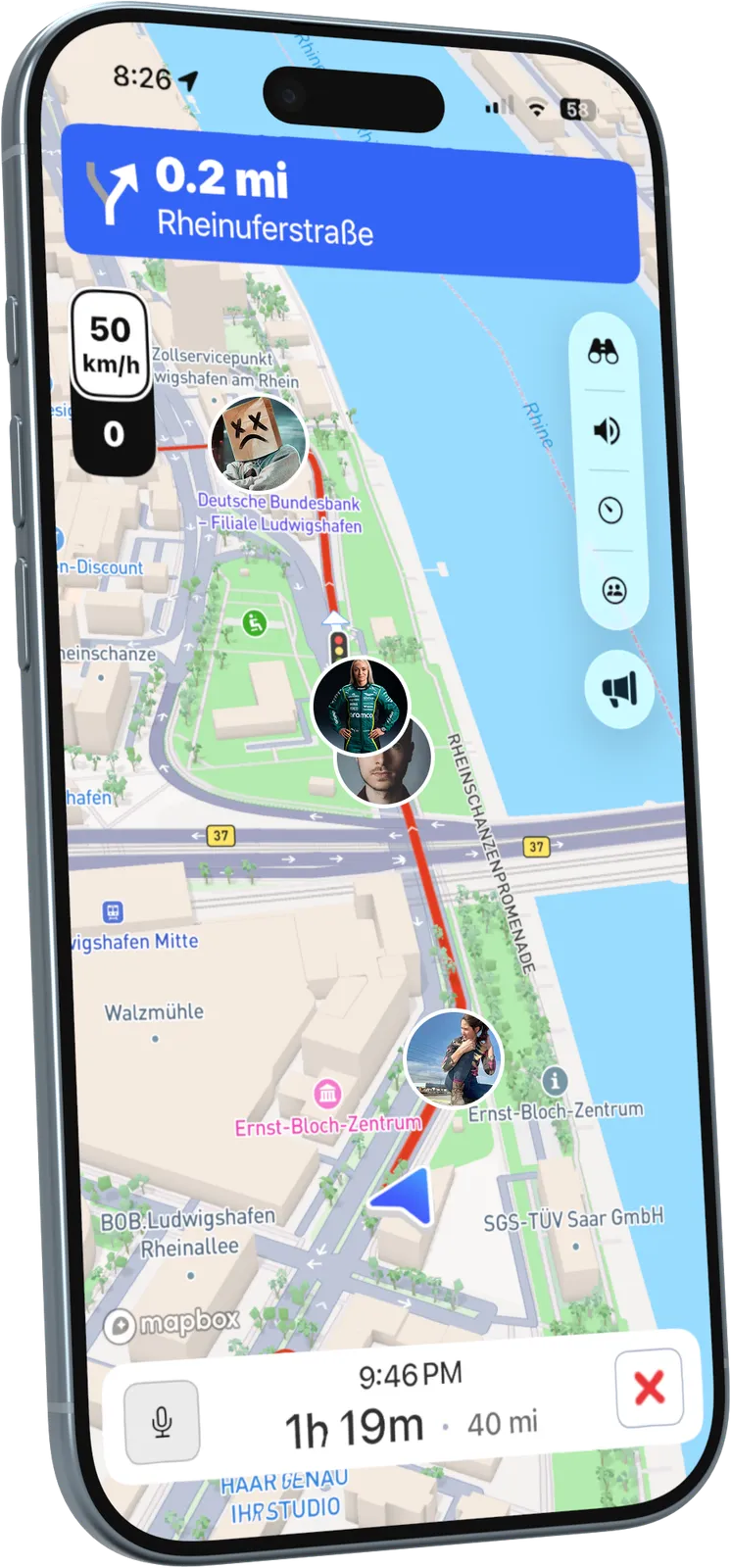
RiveDrive app: group ride with the crew live on the map

Overview

RiveDrive is a navigation and community app for car and motorcycle enthusiasts. Most navigation apps answer one question: what is the fastest road? RiveDrive asks a different one: what is the best road? It plans curvy, scenic drives, keeps a whole crew together on one live map, shows the weather along the route and records how you actually drove. It works on the iPhone and on CarPlay, with a free tier and RiveDrive Premium. The website rivedrive.com introduces the product and extends it to the desktop, with a route planner, public routes, events and a community blog.

  • App & website
  • Design system
  • AI workflow

What I did

  1. Led the end-to-end design of the platform across the iOS app, CarPlay and the website, from discovery to shipped features.
  2. Designed the rivedrive.com website: a cinematic landing page, illustrated feature stories, pricing, events, public routes, a web route planner and a blog.
  3. Built the design system from scratch: UI components, typography, colour and interaction patterns.
  4. Designed six core feature areas: route planning, group rides, weather, Drive Performance, place search and community routes.
  5. Ran user interviews and usability tests with drivers and riders, and iterated on crew navigation, group chats and event booking.
  6. Introduced an AI-assisted design workflow with Claude for faster exploration, component creation and consistency checks.
  7. Worked directly with developers to make sure every screen was built pixel-accurate.

Website

rivedrive.com

The website has two jobs: make people feel what driving with RiveDrive is like, and give the community a home on the desktop. I designed it as a dark, cinematic experience with its own illustration style for explaining features.

  • Landing page, pricing, events, public routes, a web route planner and a blog
  • Illustrated, scroll-led feature stories instead of plain screenshots
  • Available in English and German
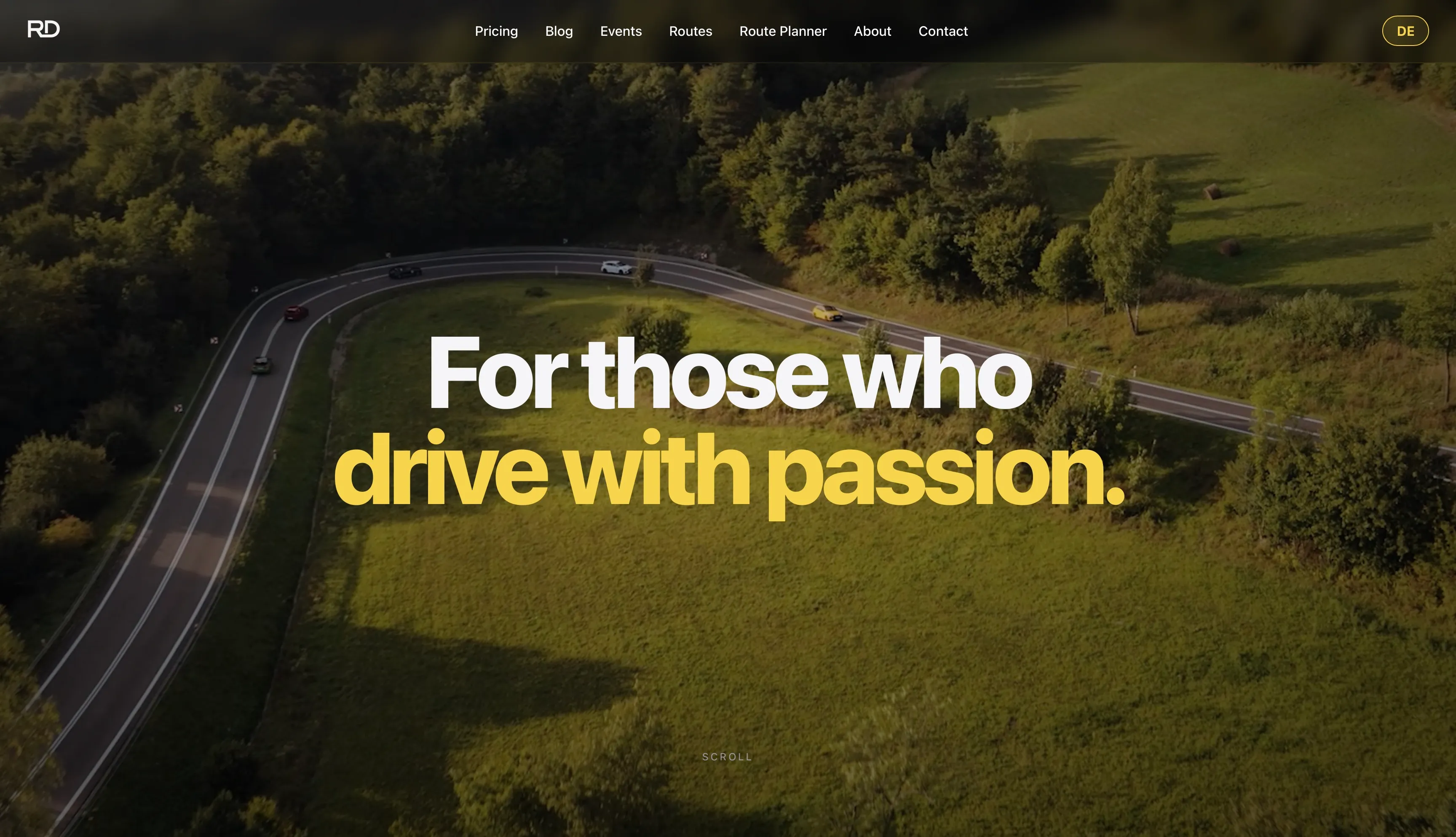
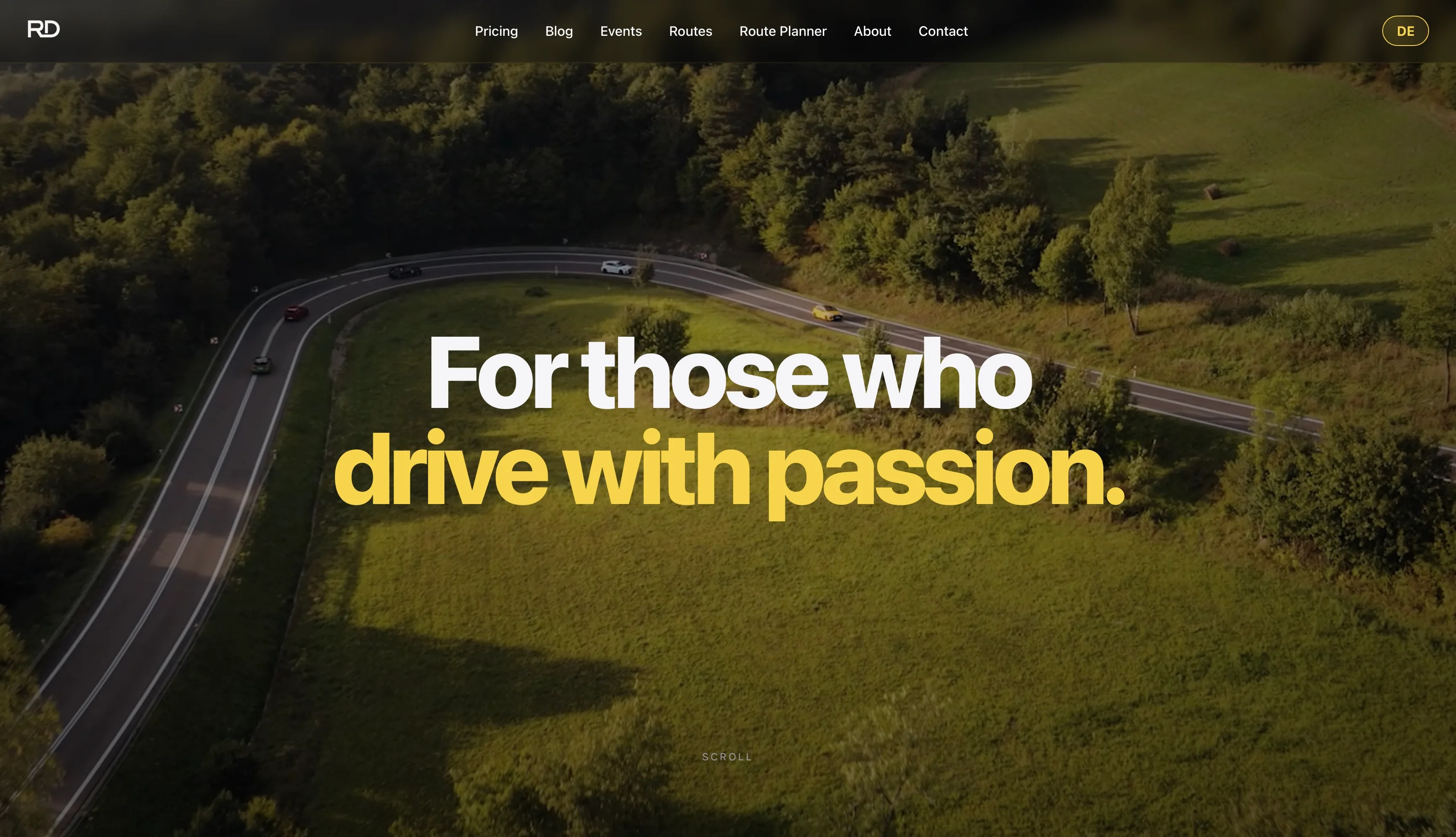
rivedrive.com landing page: For those who drive with passion
A landing page that feels like a driveA full-screen aerial shot of cars on a winding road and one bold line: “For those who drive with passion.” The mood comes first, the features follow as you scroll.
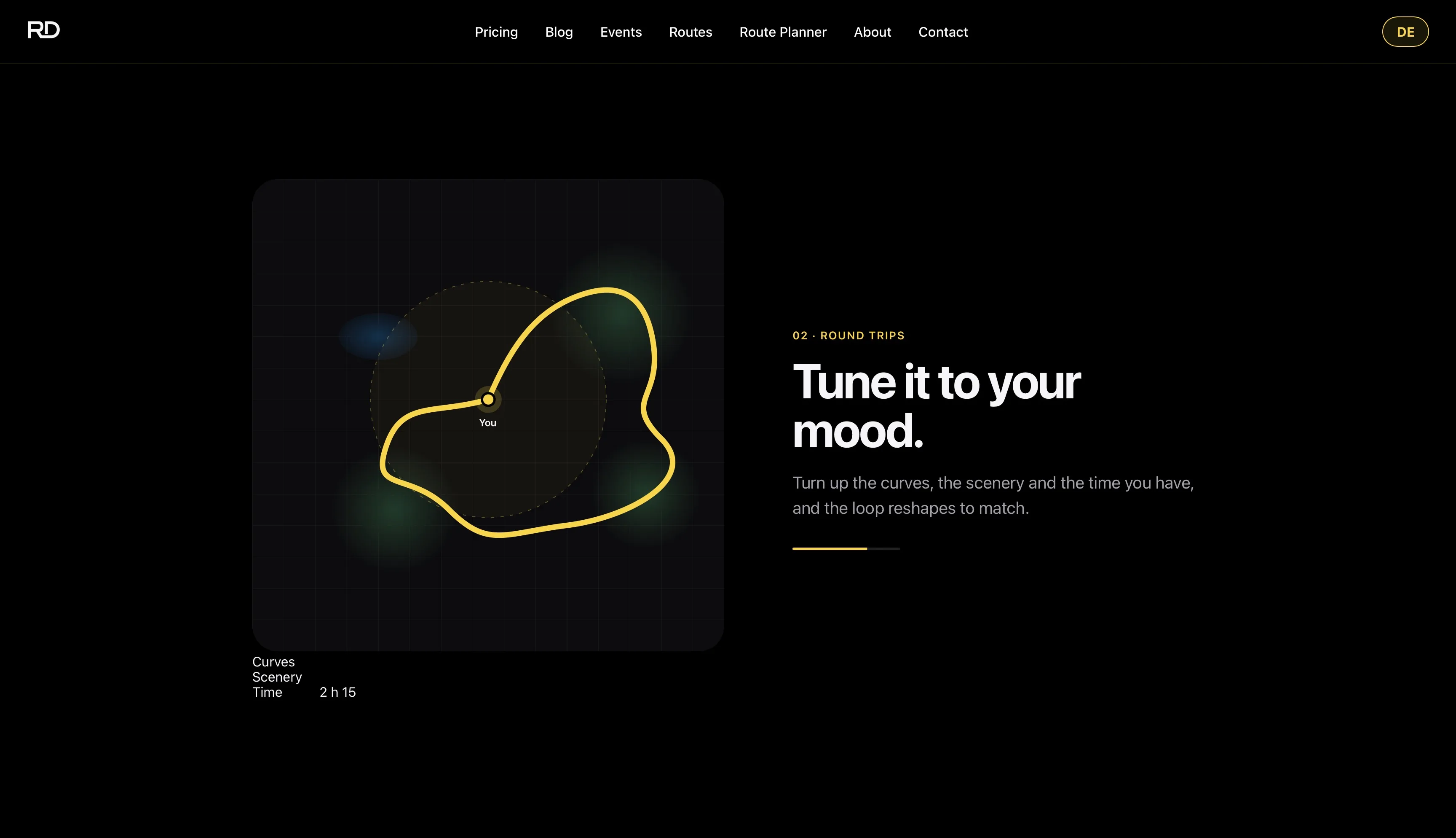
Round trips feature illustration: Tune it to your mood
Features, explained visually“Tune it to your mood.” Turn up the curves, the scenery and the time, and the loop reshapes to match.
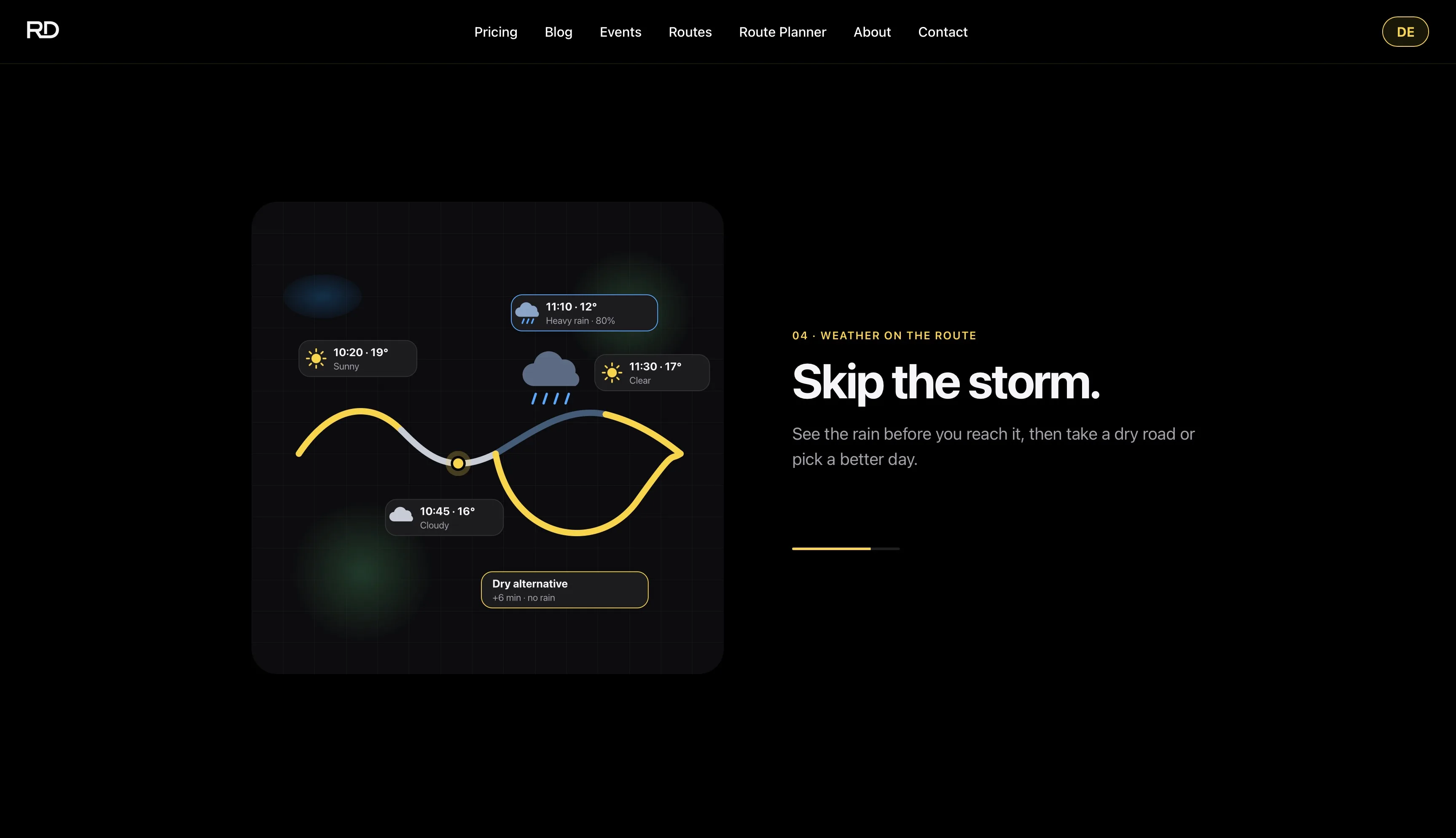
Weather on the route illustration: Skip the storm
Weather on the route“Skip the storm.” The illustration shows rain ahead on the route and a dry alternative that costs six extra minutes.
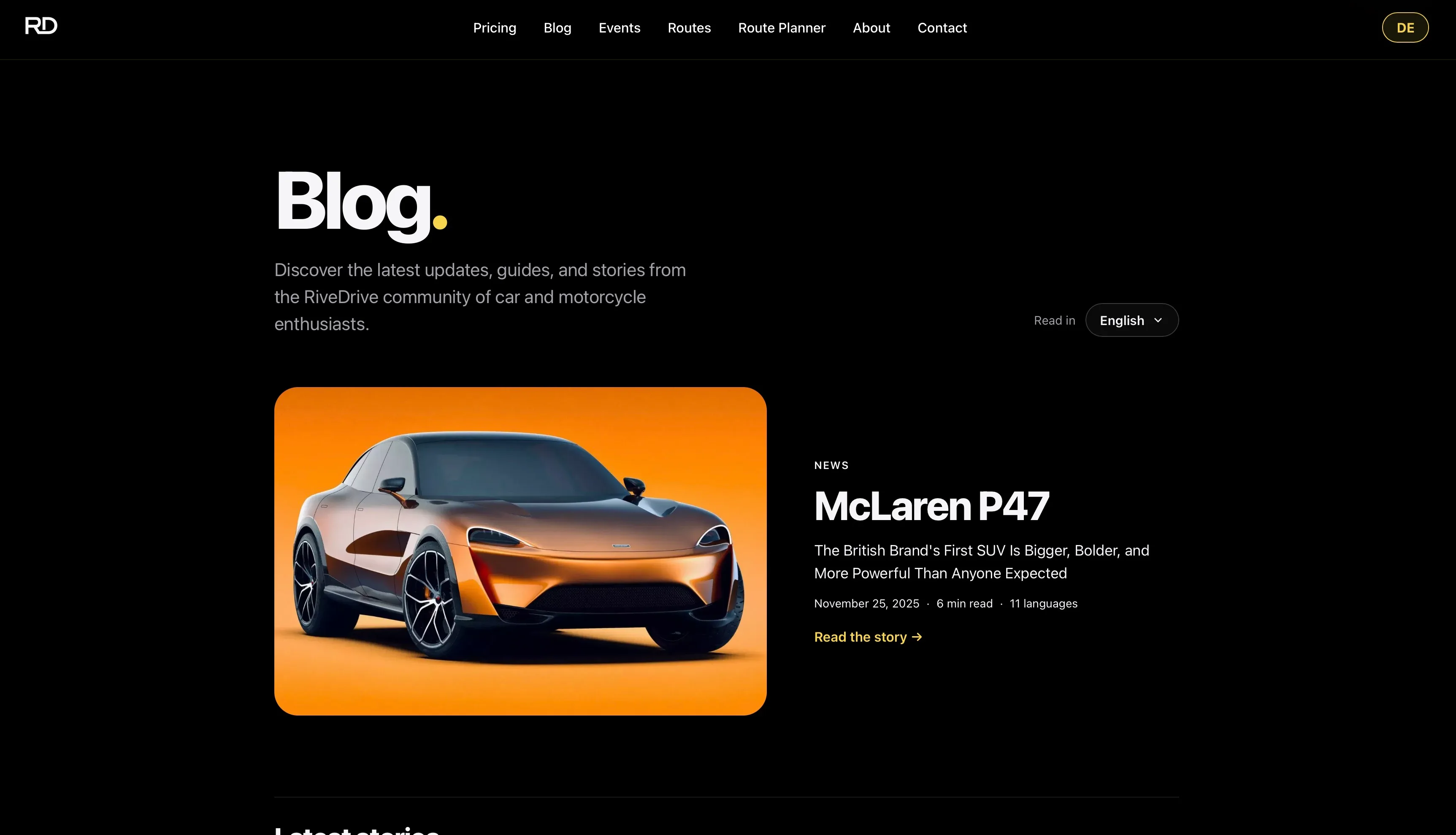
RiveDrive blog with a featured story
A blog for the communityNews, guides and stories for car and motorcycle enthusiasts, with each story available in up to 11 languages.
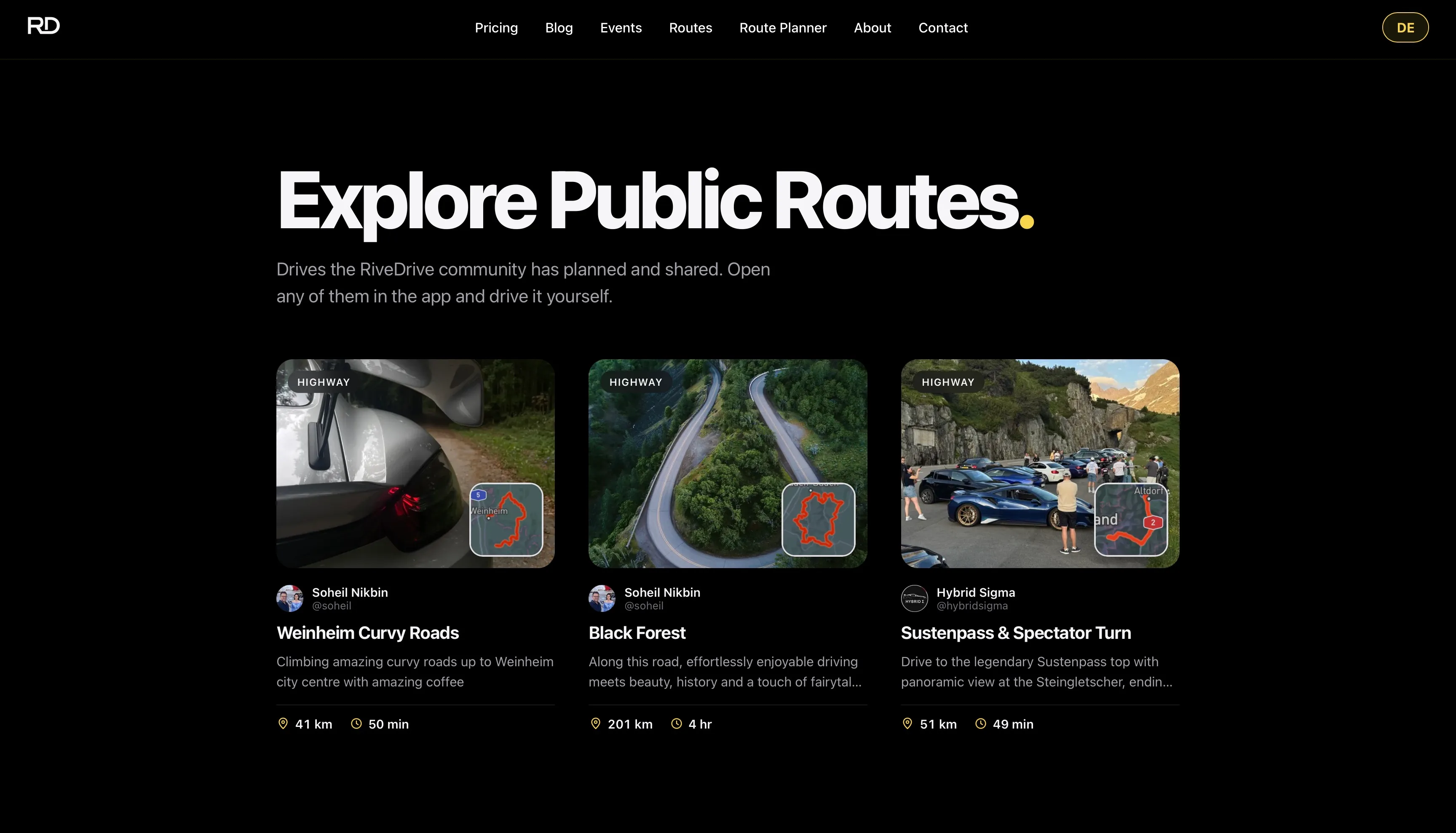
Explore Public Routes page
Public routesDrives the community has planned and shared, with photos, a mini map, distance and time. Any of them opens in the app.

App · Key features

01

Route planning

Fastest road or best road?

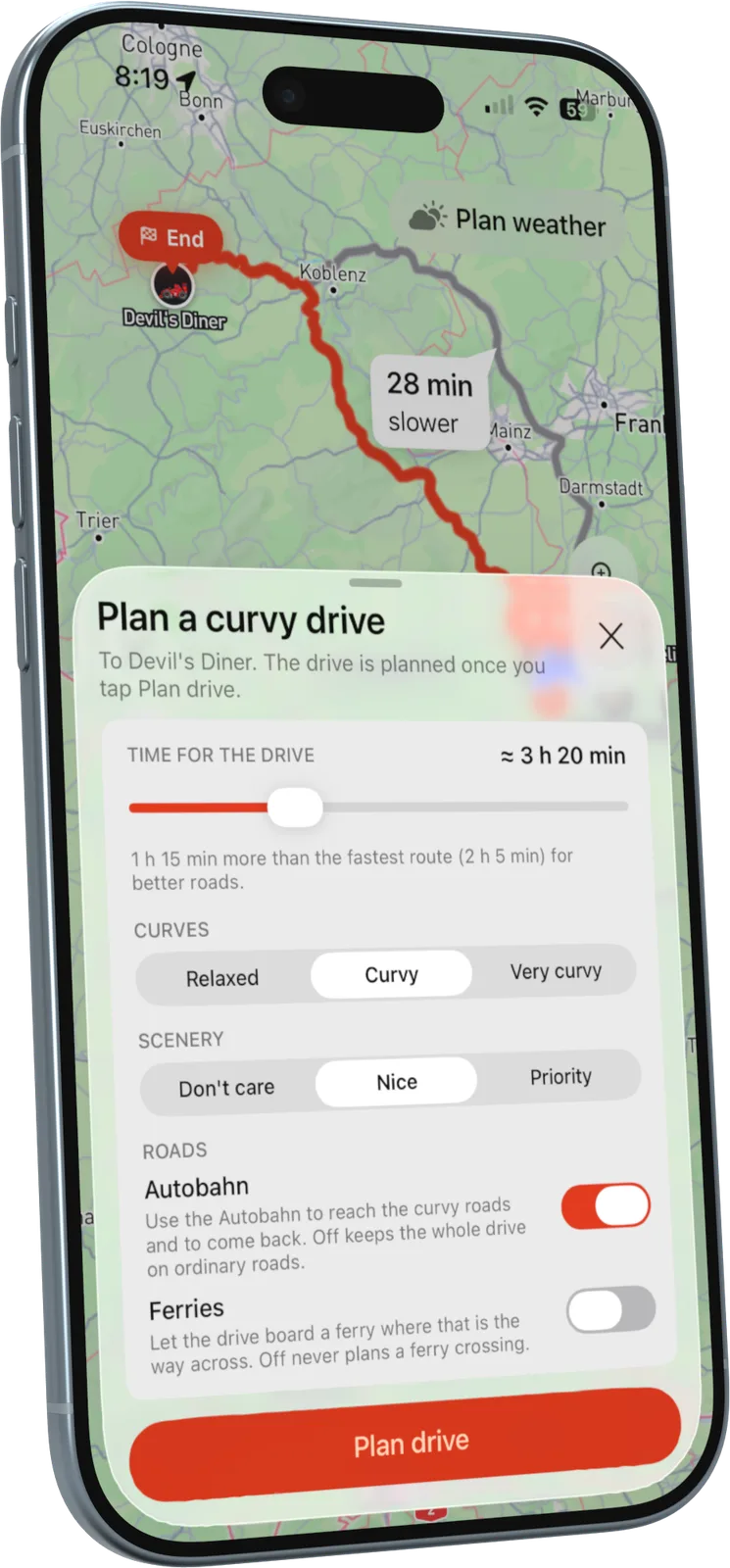
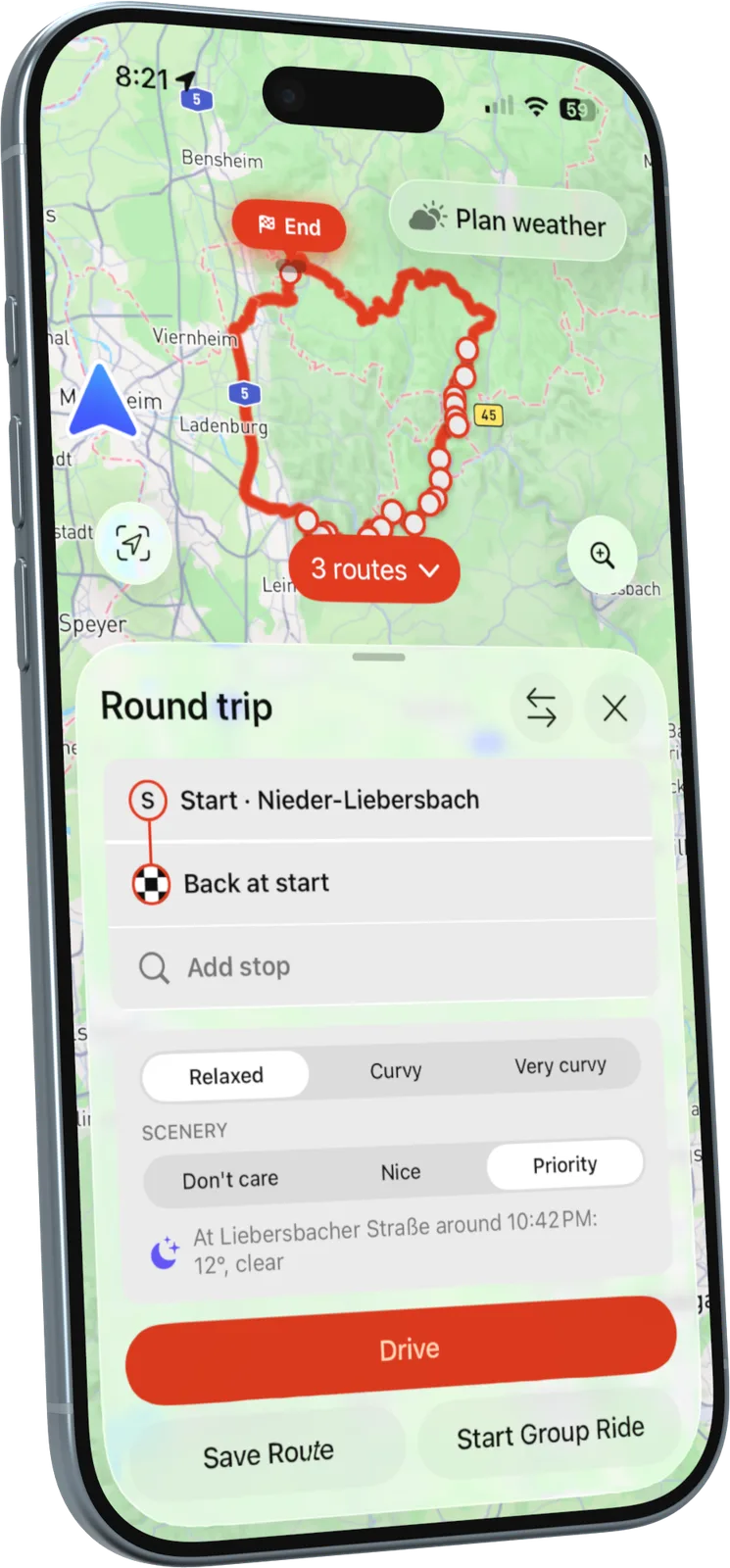
Drivers plan curvy, scenic drives to a destination or as a round trip. They choose how curvy the drive should be, how much the scenery matters and how much extra time they have, and RiveDrive shows exactly what that adds over the fastest route.

  • Up to five routes, each rated for how twisty and how scenic it is
  • Drag any point to bend the route, or tap a road to avoid it
  • Optional Autobahn to reach the good roads faster
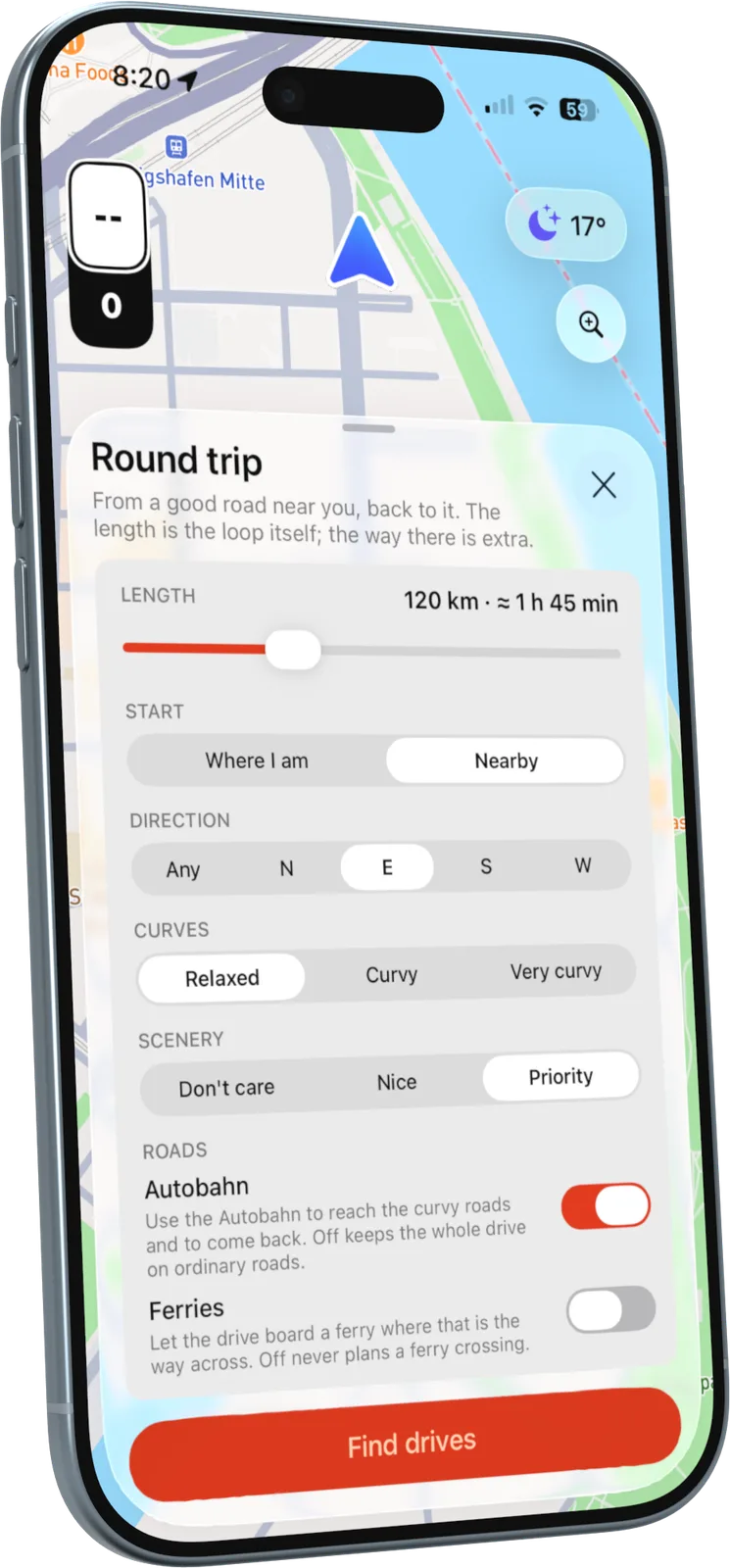
Round trip settingsPlanning a curvy driveChoosing between several routes
02

Group rides

Who is still behind you?

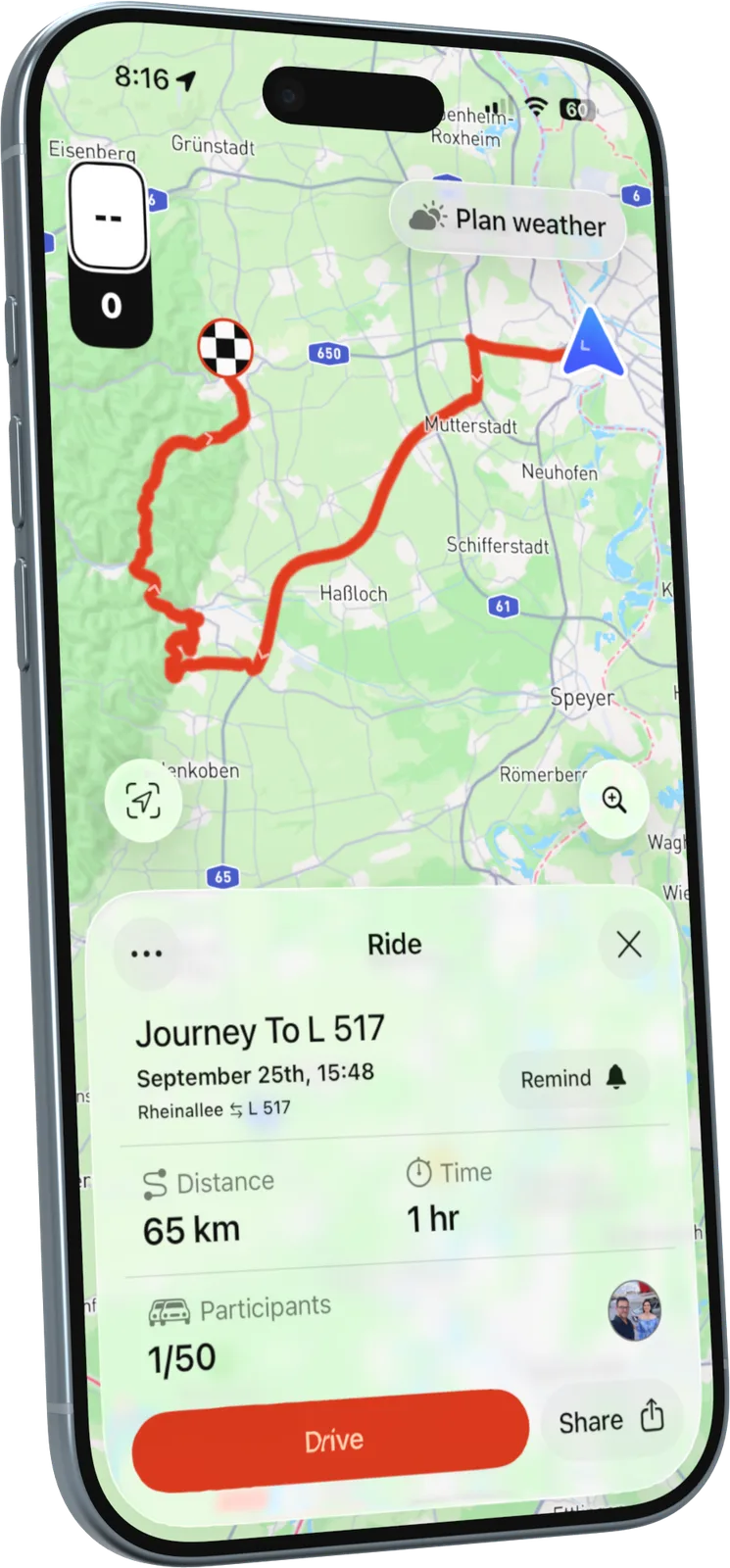
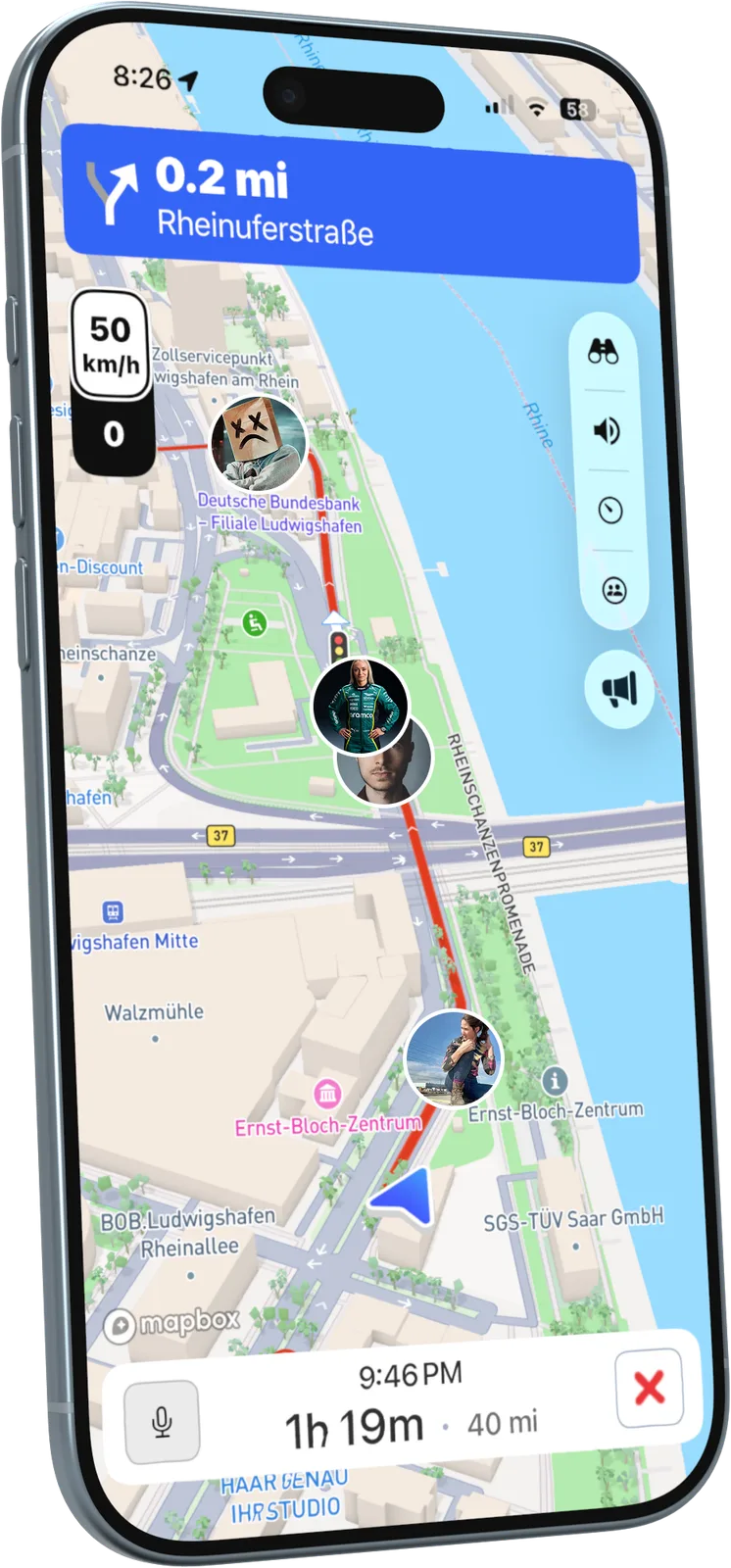
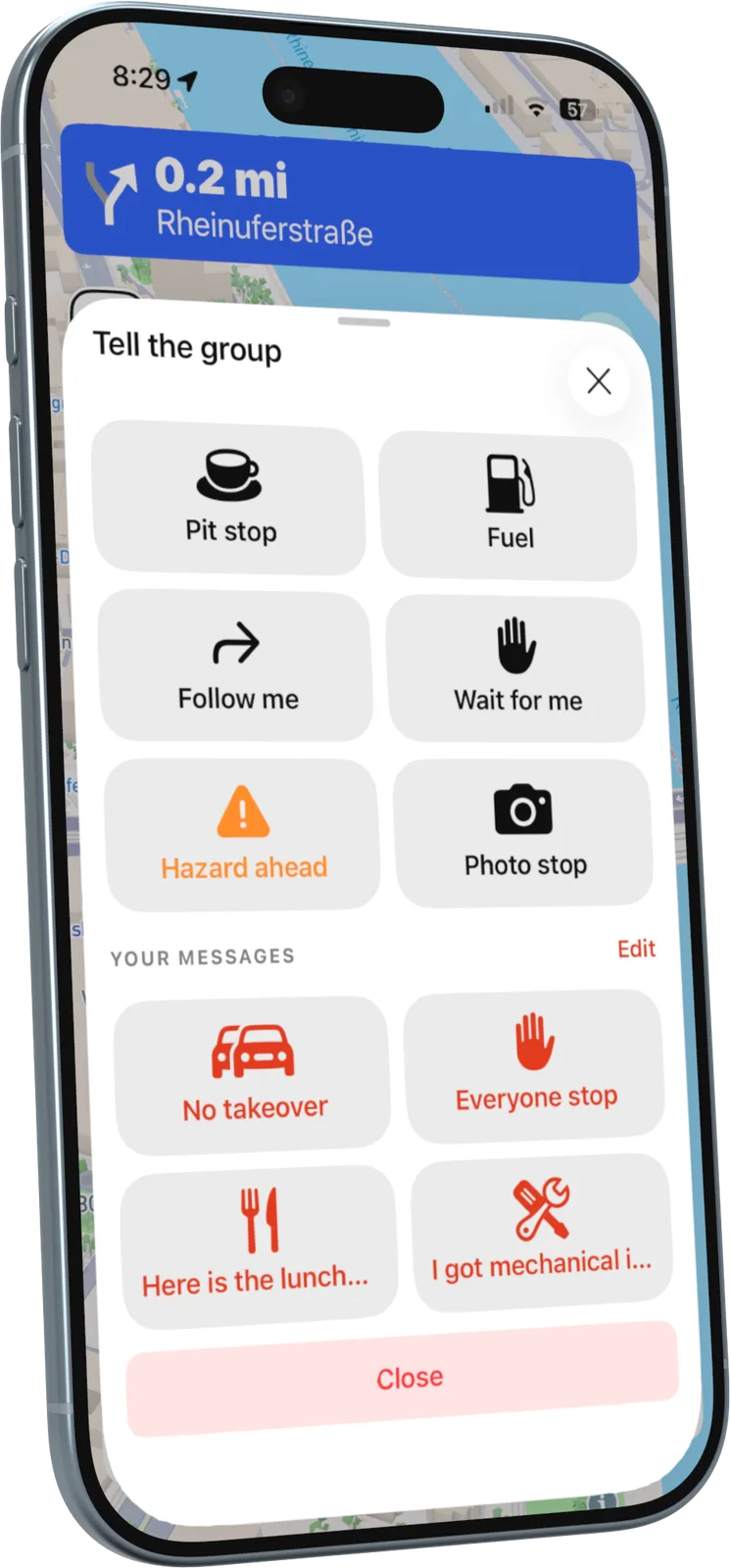
Any route becomes a group ride in a few taps. The crew joins with a link or QR code, and once the ride starts everyone sees each other live on the map: up to 50 cars, for up to 12 hours.

  • Open to anyone with the link, or invite-only with approval
  • One-tap messages while driving: pit stop, fuel, follow me, hazard ahead
  • Walkie-talkie and CarPlay, so eyes stay on the road
Group ride detailsThe crew live on the mapOne-tap group messages
03

Weather

Is it going to rain on the pass?

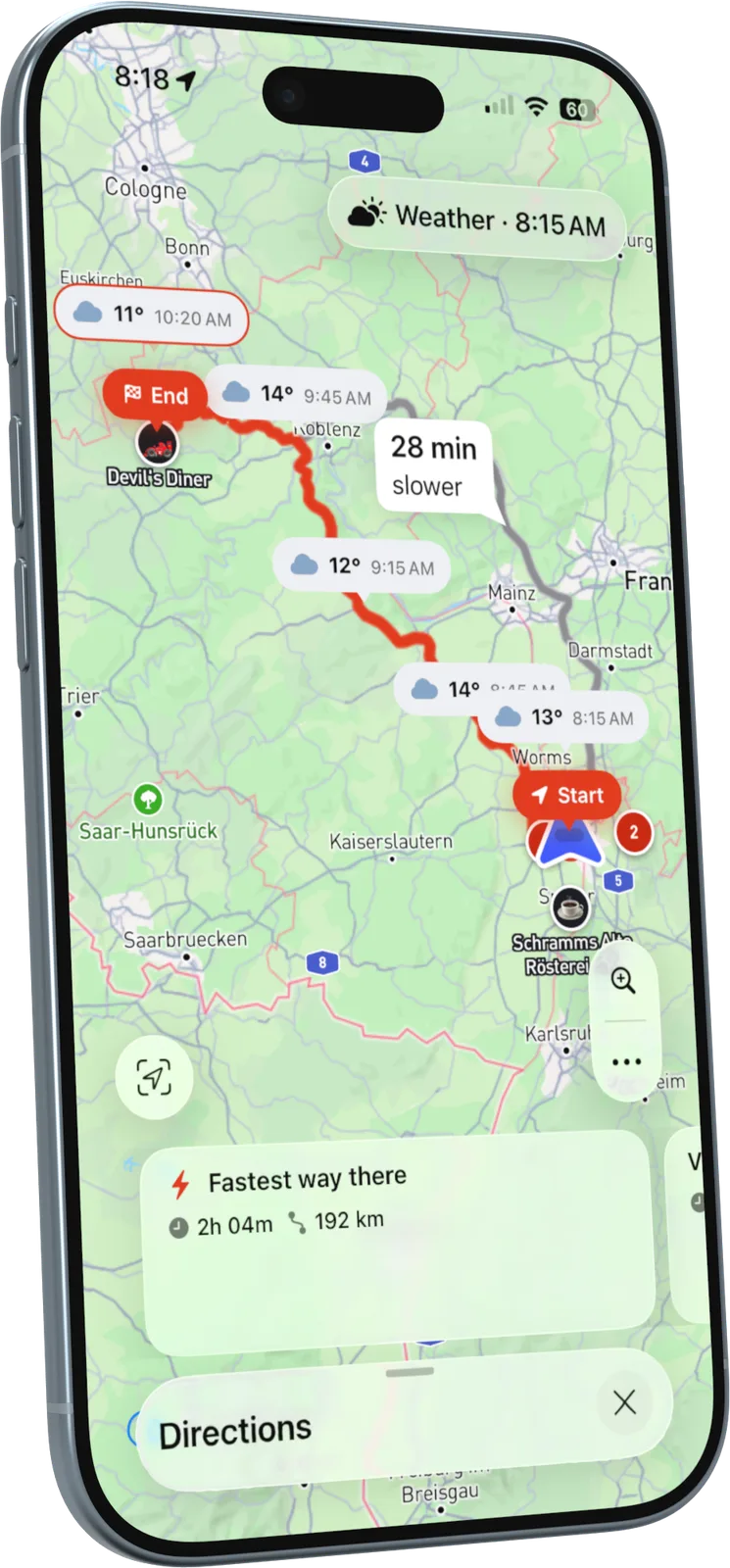
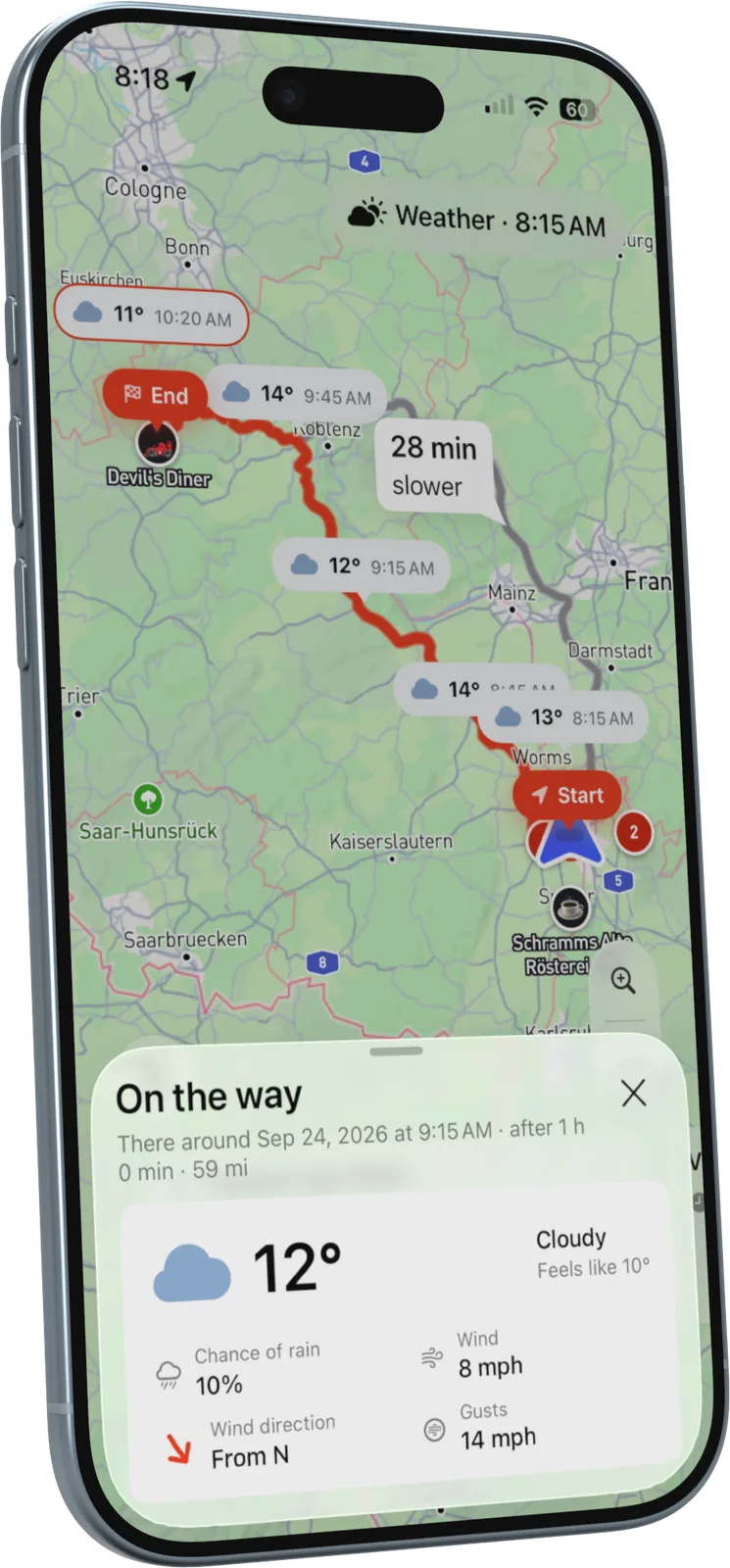
The forecast follows the drive, not the city. RiveDrive shows the temperature and conditions at every stage of the route, timed to when the driver will actually get there.

  • Alerts for rain, strong wind or a sudden drop in temperature
  • Weather pins right on the route line
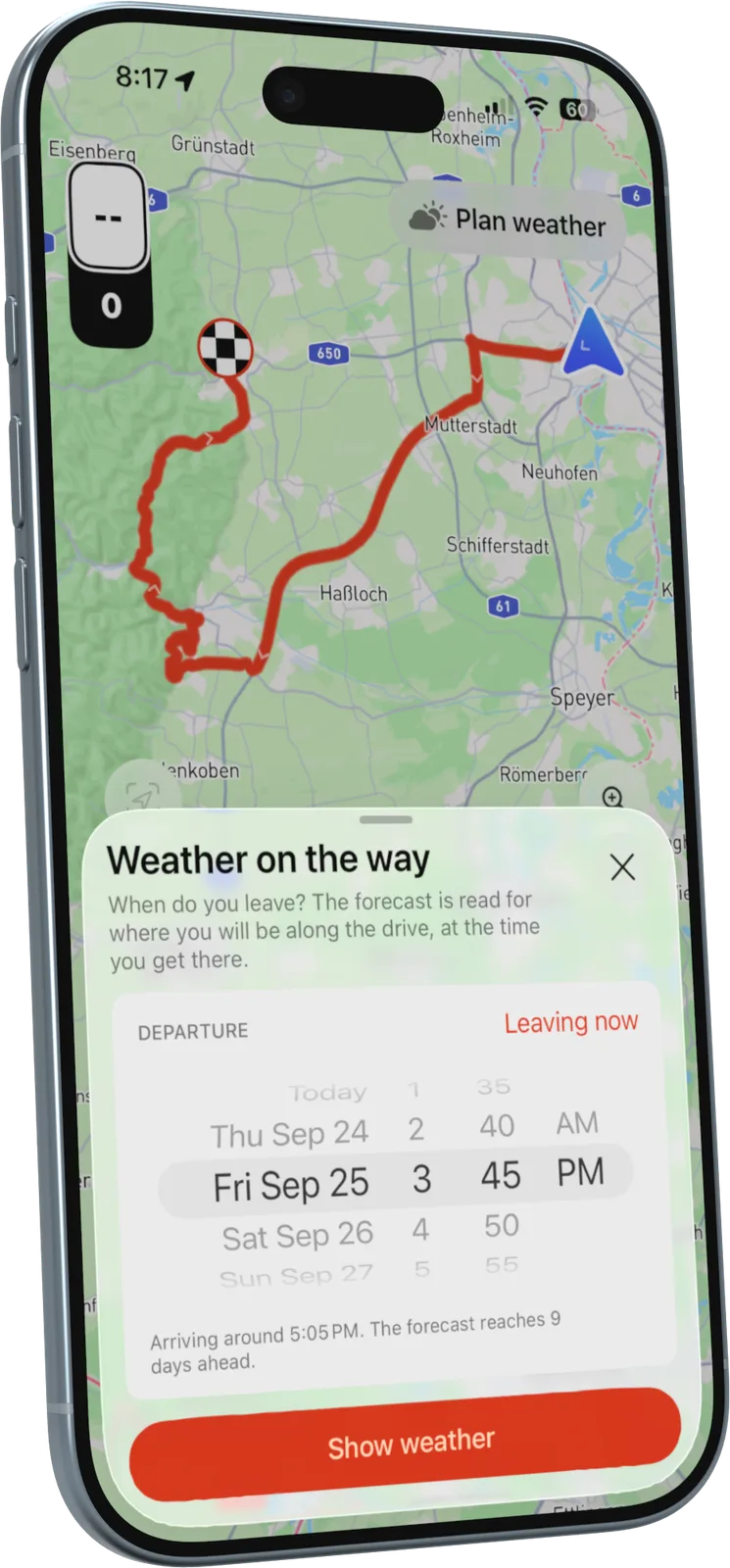
  • Find the best time to leave, up to nine days ahead
Forecast along the routeWeather details on the wayChoosing a departure time
04

Drive Performance

How did you really drive that pass?

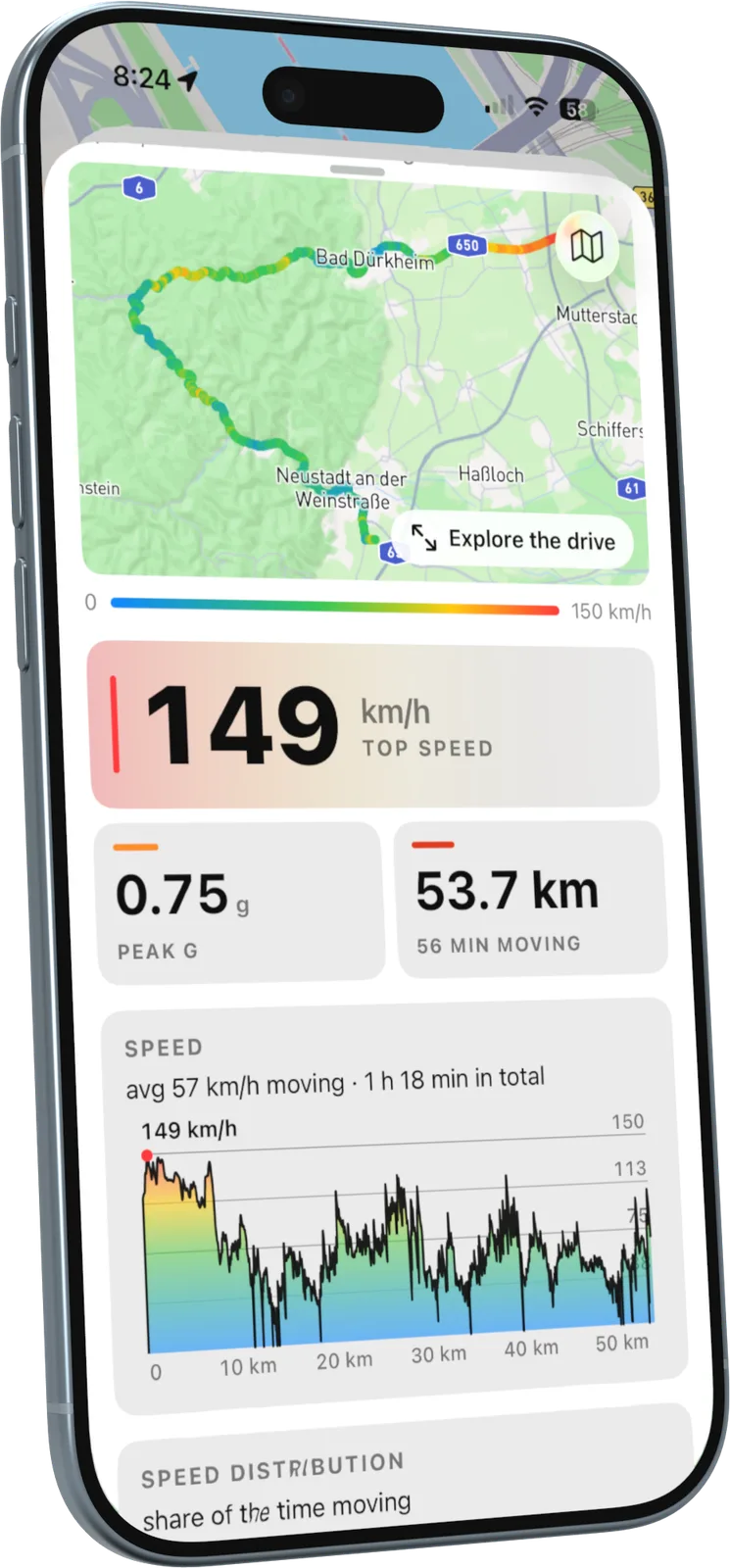
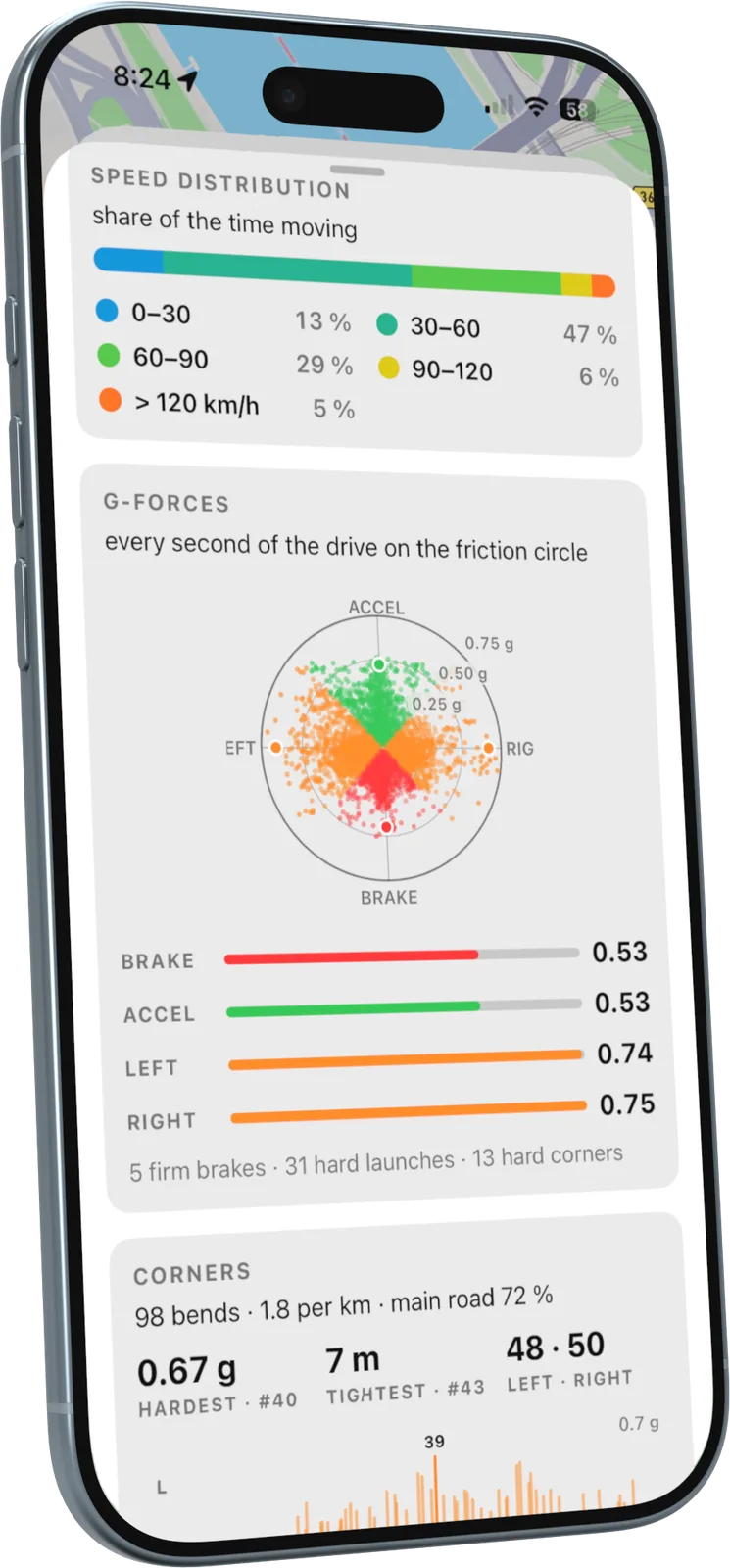
With just an iPhone mounted on the dash and no extra hardware, RiveDrive measures every acceleration, brake and corner, and turns it into data drivers love to explore.

  • G-forces plotted on a friction circle
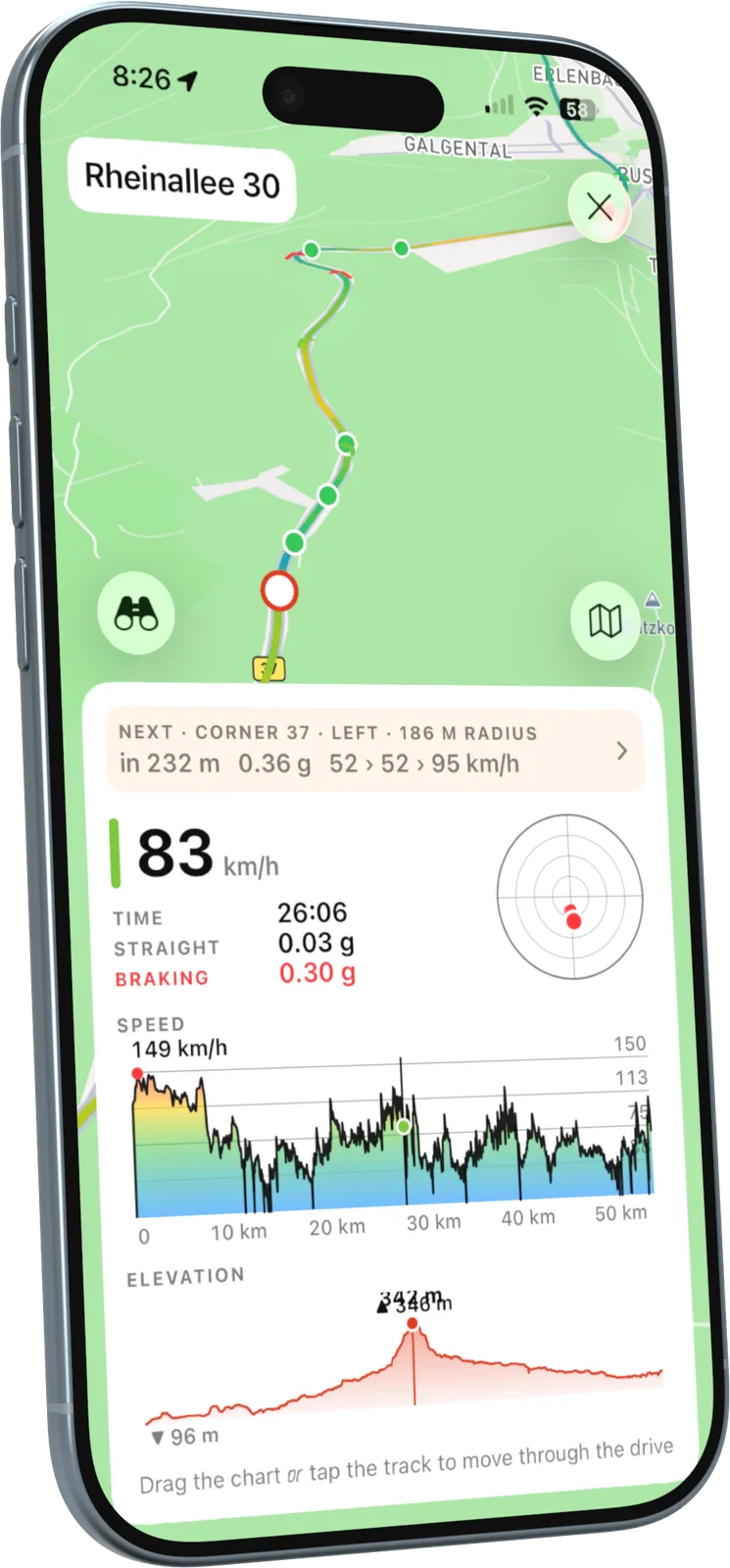
  • Every corner with its g-force and radius, and how hard you braked before it
  • Drive Explorer: relive the drive on the map, corner by corner
Drive summary with top speedG-forces on a friction circleDrive Explorer on the map
05

Everyday navigation

Weekend app or daily driver? Both.

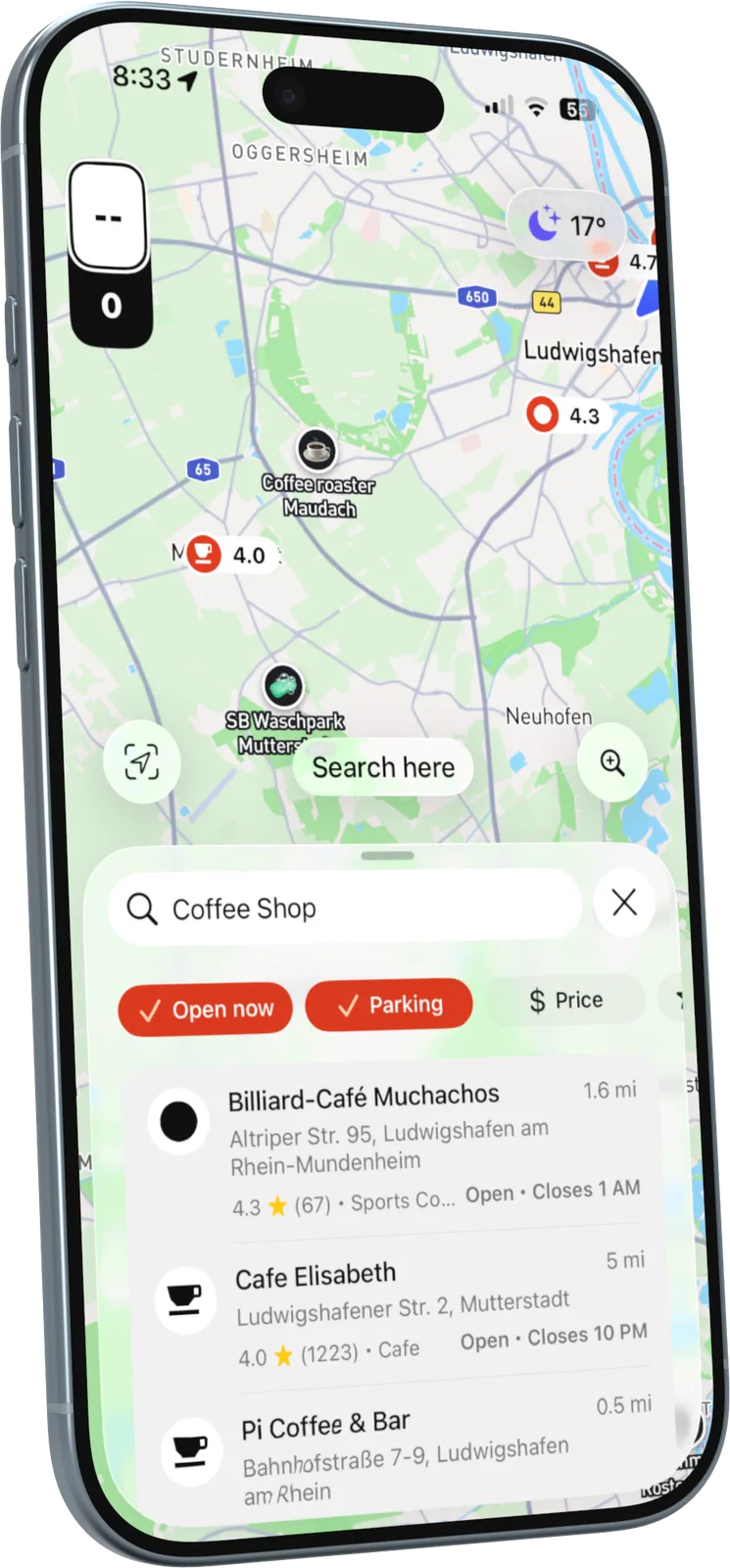
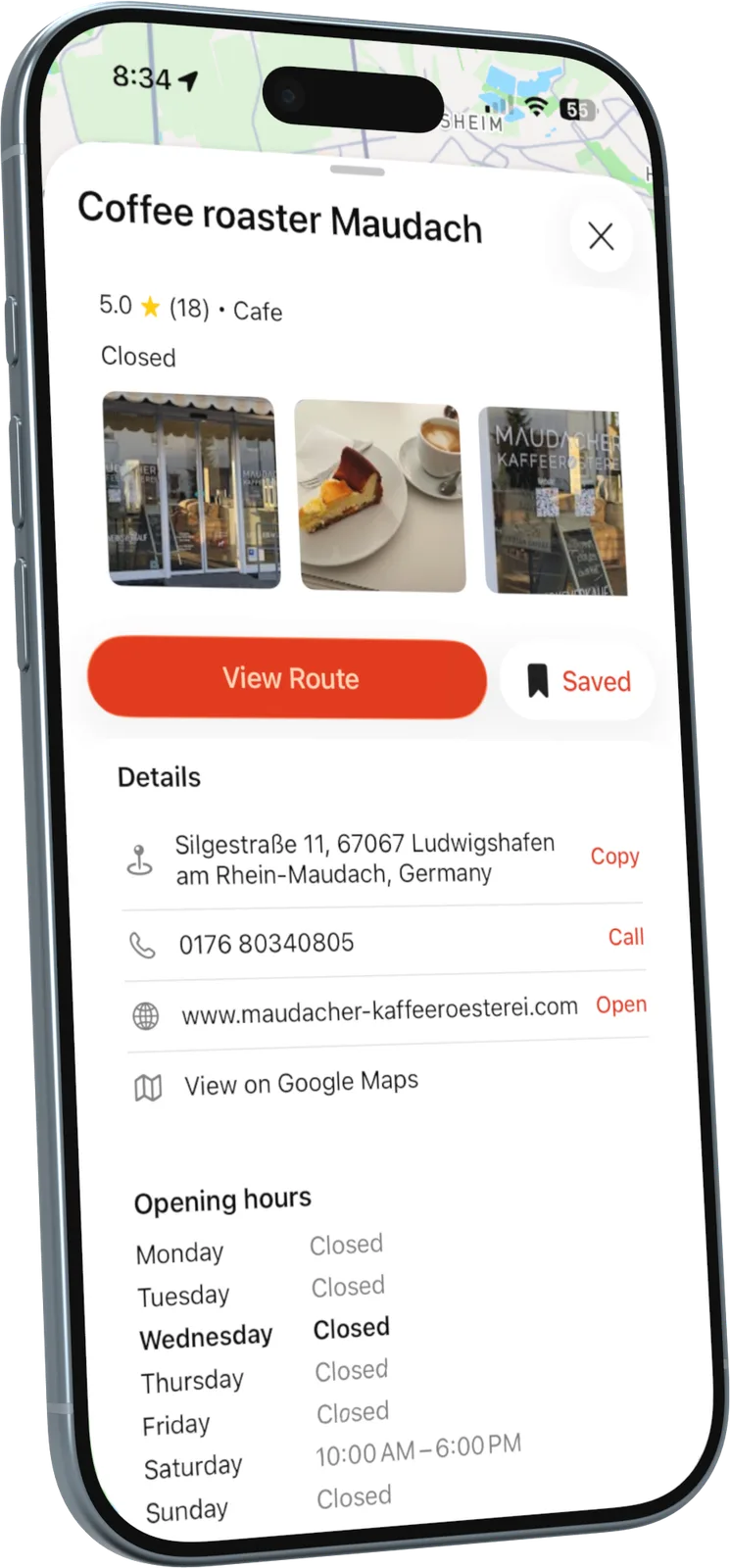
Full place search and everyday navigation, built for petrolheads. Fuel, parking, coffee or a hotel for the night are one tap away, with the filters drivers actually care about.

  • Filters for open now, price and parking
  • Photos, rating, address and opening hours in one place
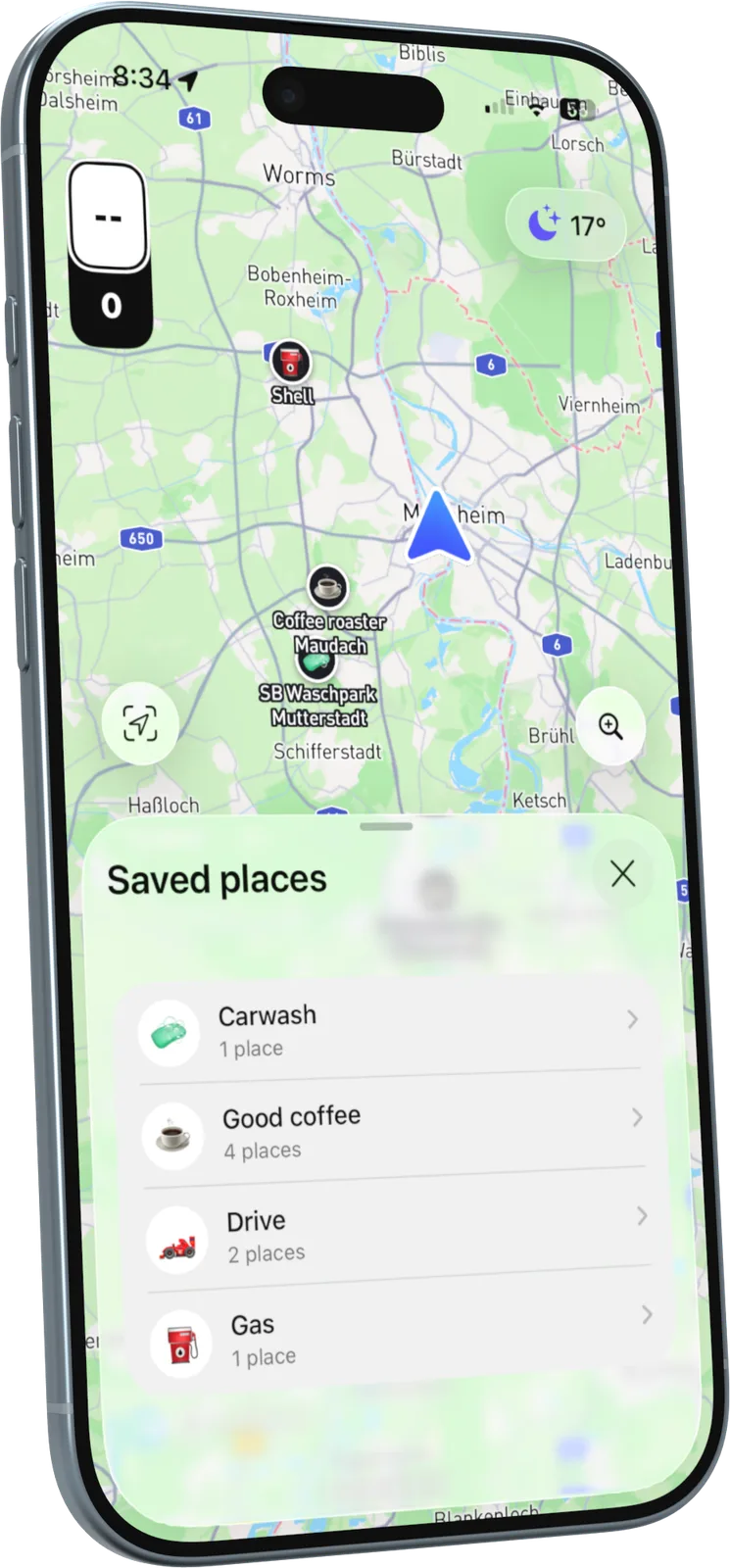
  • Saved lists like “Good coffee” or “Carwash”
Place search with filtersPlace detailsSaved places
06

Community routes

Good roads are better shared.

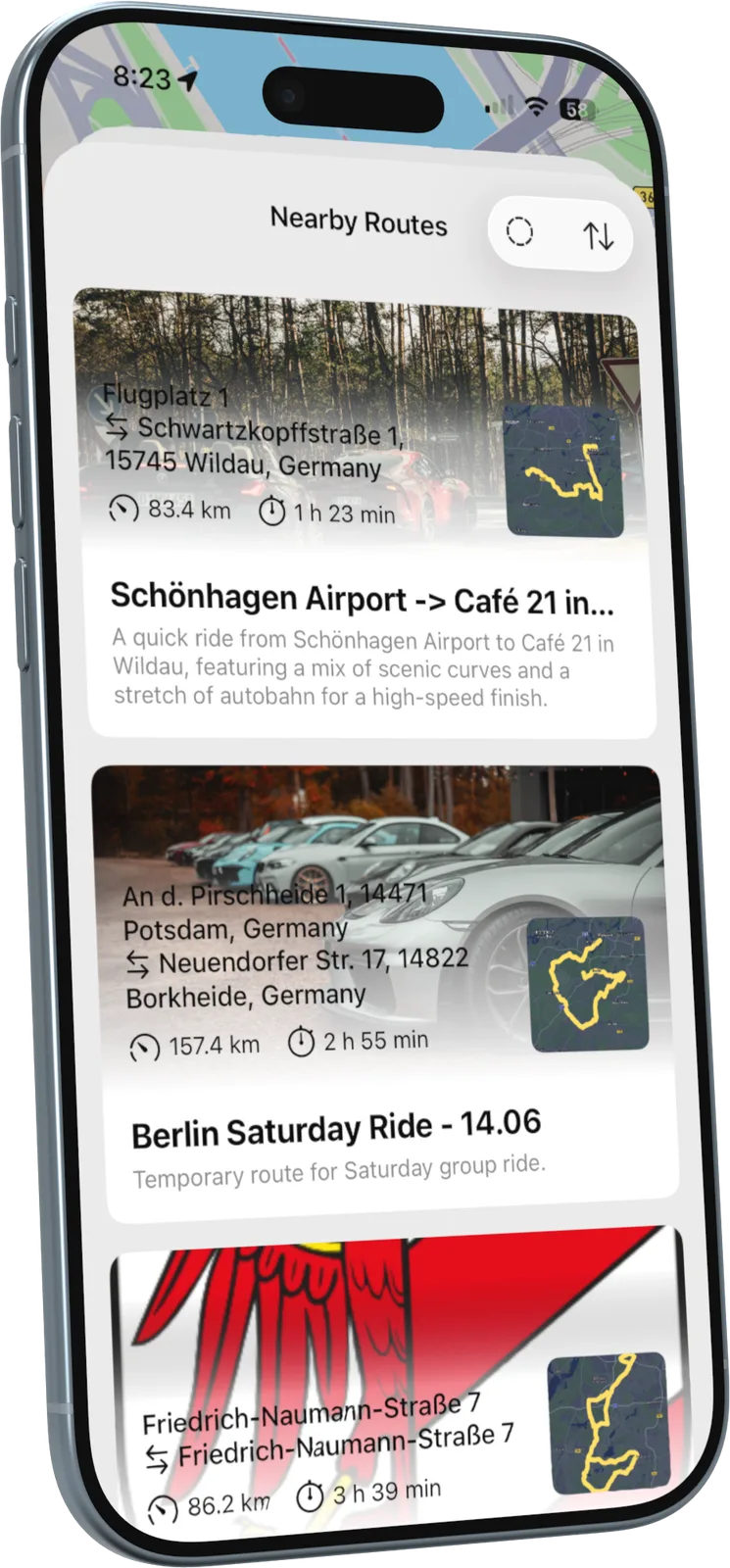
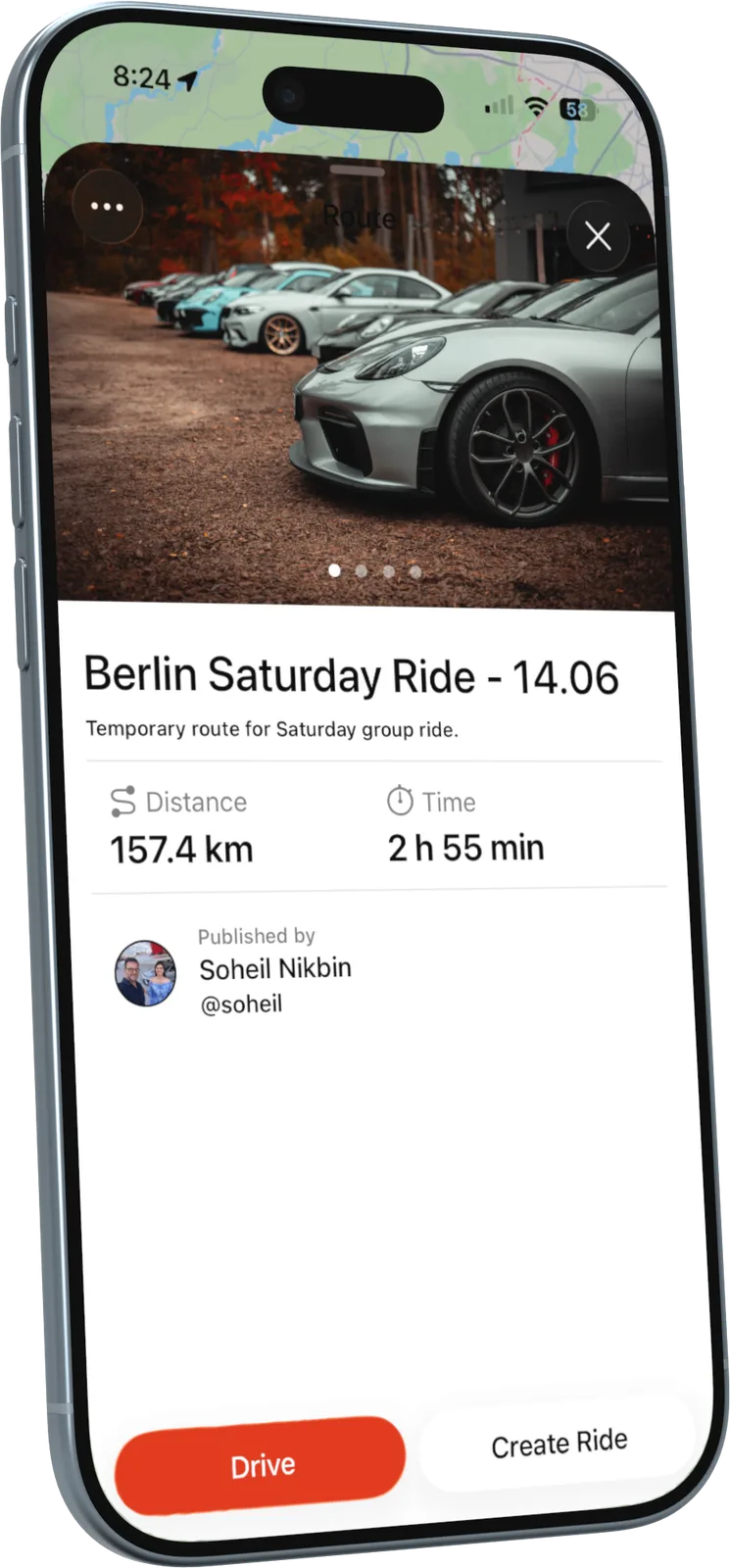
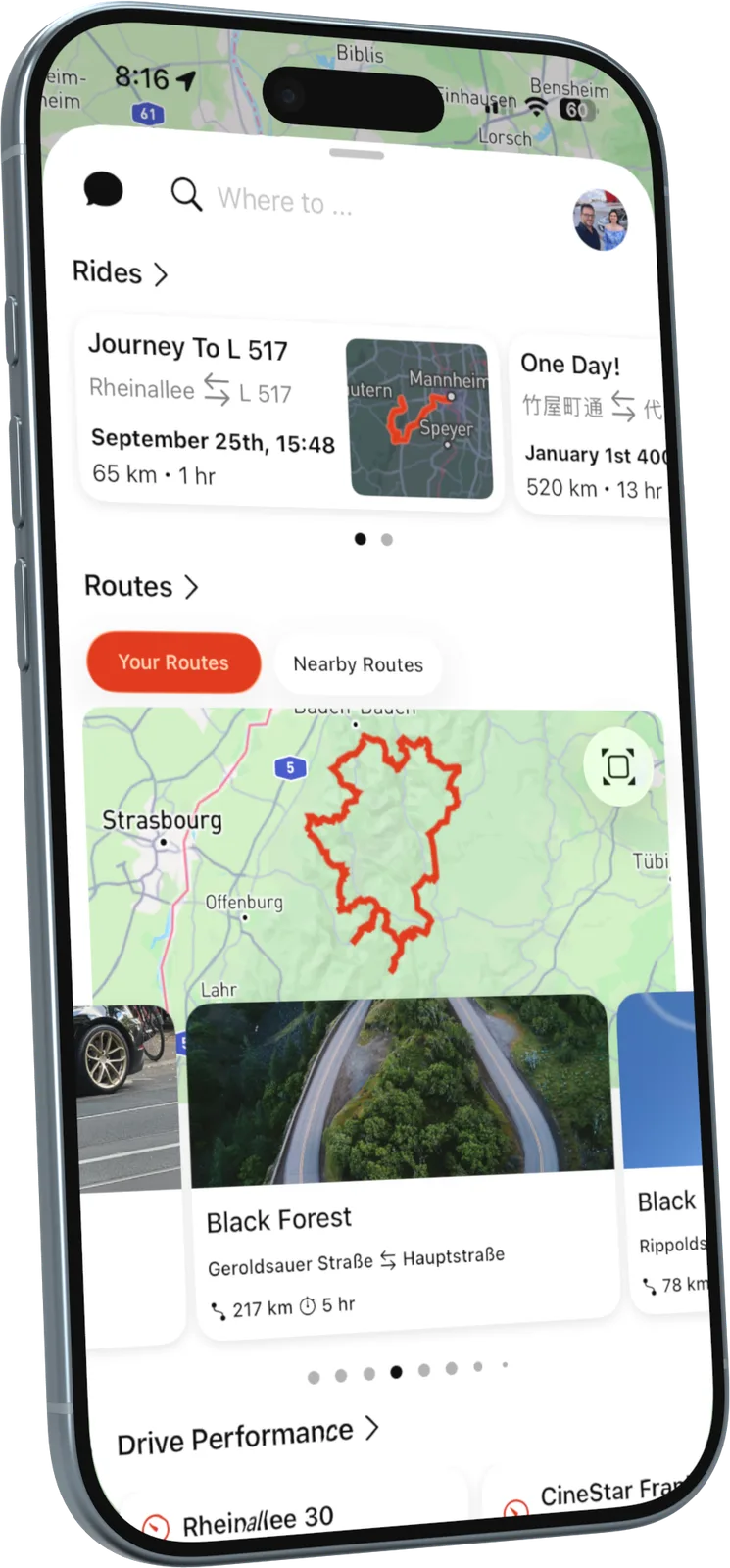
Drivers save the roads they love, import GPX files from friends or other apps, and share routes with photos and a description. In a new region, Nearby Routes shows what the community has already found.

  • Keep a route private or share it with the community
  • Drive it solo, or turn it into a group ride
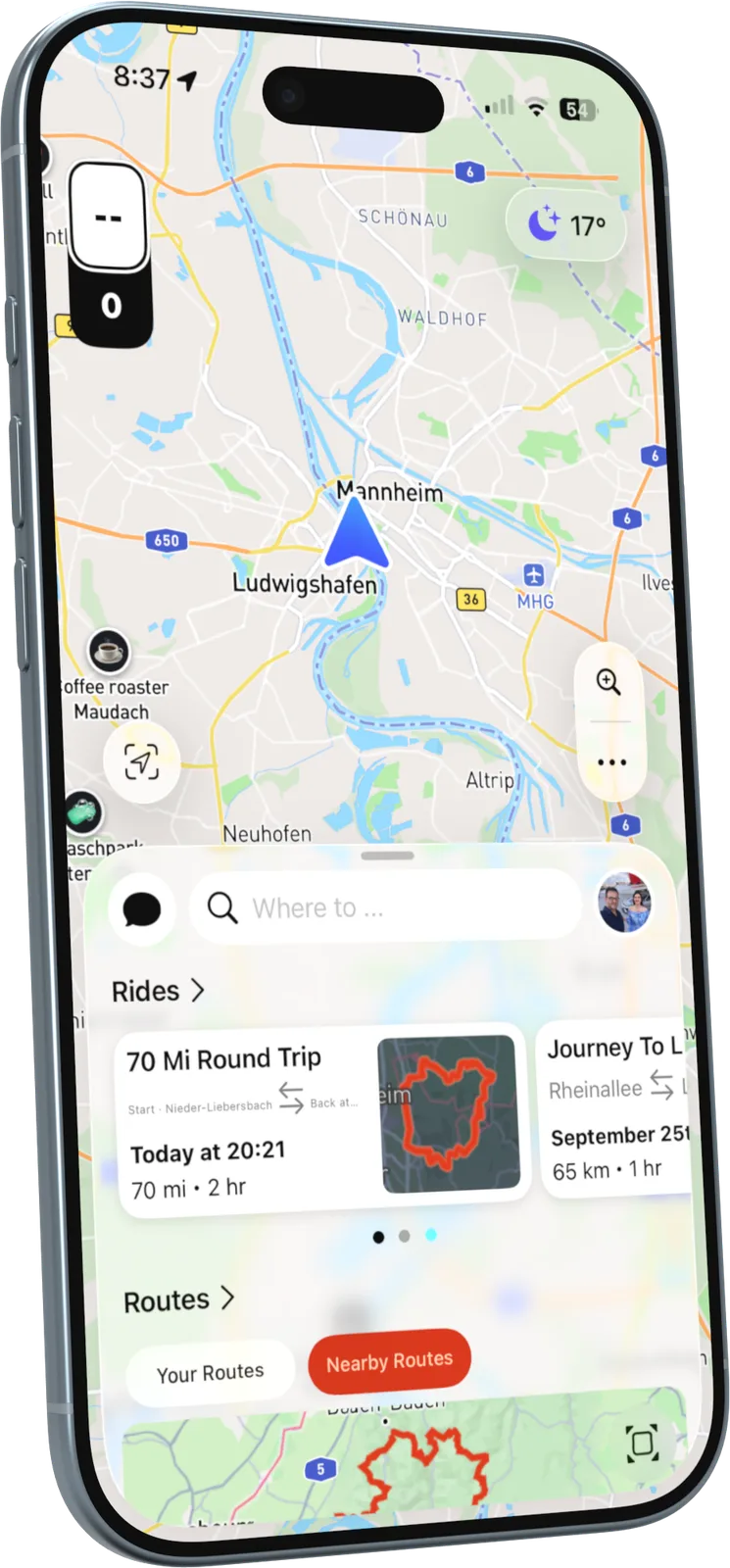
Nearby routes from the communityA shared route with photosRides and saved routes on the home screen

Designing with AI

Claude as part of the design pipeline

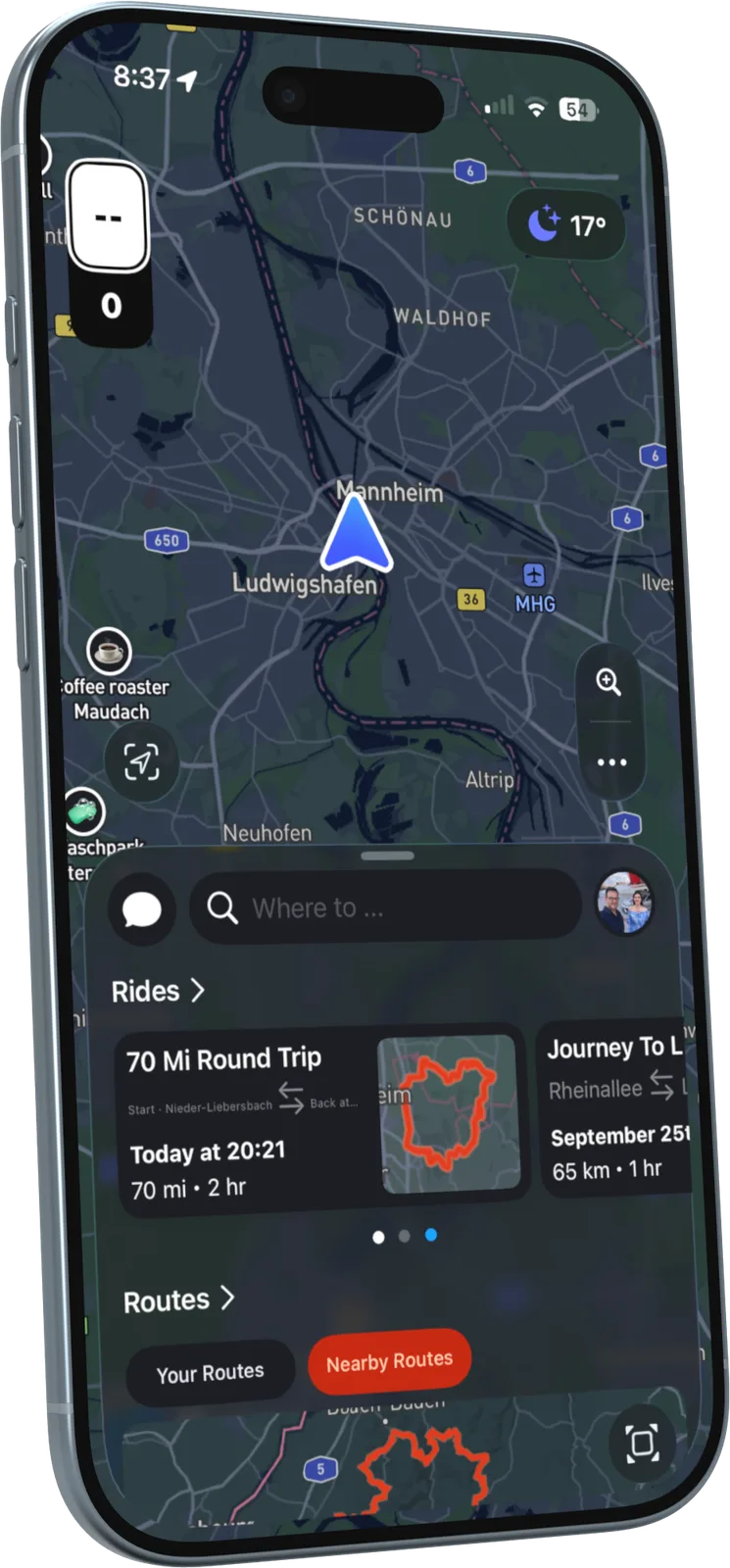
RiveDrive is a big product for a small team: an iOS app, CarPlay and a website. To keep up without lowering the bar, I built AI into my everyday workflow. Claude takes on the repetitive groundwork, so I can spend my time on the decisions that matter to drivers.

  1. 01

    Faster exploration

    For a new feature I explore several layout and flow directions with Claude in minutes, then take the strongest into Figma to refine by hand.

  2. 02

    Better components

    Claude helps me map out every variant and state a component needs: empty, loading, error, long German labels, dark map. Fewer gaps reach development.

  3. 03

    Consistency checks

    Before handoff, I review app and web screens against the design system rules with Claude to catch drift in spacing, type, colour and wording early.

  4. 04

    UX writing in two languages

    Short, clear microcopy matters when someone is driving. I draft and tighten interface text in English and German with Claude, keeping one tone across the app.

  5. 05

    Research synthesis

    Notes from interviews and usability tests become clear themes and next steps faster, so findings feed into the next iteration while they are still fresh.

  6. 06

    Smoother handoff

    Specs, edge cases and acceptance criteria are written alongside the designs, so developers get the full picture and the build matches the intent.

AI speeds up the groundwork. The design decisions, the craft and the empathy for the people behind the wheel stay with me.

Contact

Have a product in mind?Let’s talk.

I’m open to product design roles and freelance projects. Tell me what you’re building.

Send an email